

Radiology has changed dramatically with the shift from paper records and physical films to digital healthcare systems. Today, hospitals and diagnostic centers can manage imaging requests, schedule examinations, store medical images, generate reports, and share results electronically.
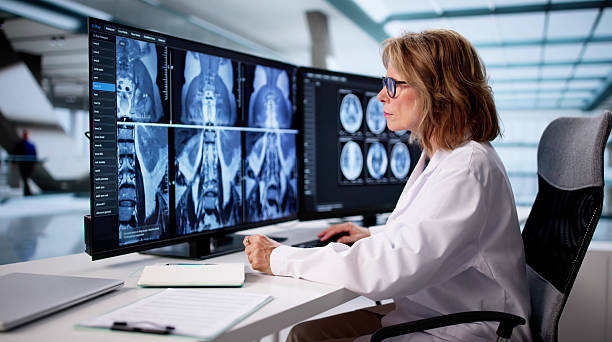
Two technologies are at the center of this digital radiology workflow: RIS and PACS.
Although the terms are often used together, they are not the same system.
A Radiology Information System (RIS) primarily manages information and workflow surrounding radiology services. A Picture Archiving and Communication System (PACS) focuses mainly on storing, retrieving, displaying, and distributing medical images.
Understanding the difference between RIS vs PACS is important for radiologists, radiographers, hospital administrators, healthcare IT teams, imaging center owners, and anyone evaluating radiology information systems, medical imaging software, or PACS solutions.
The distinction also becomes particularly important when a hospital is deciding whether it needs RIS, PACS, or an integrated platform that combines both.
This guide explains what RIS and PACS do, how they work together, their differences, benefits, limitations, implementation considerations, and what to look for when selecting a radiology IT solution.
Important: Technology features vary between vendors and implementations. A hospital should evaluate specific products based on its clinical workflow, regulatory requirements, interoperability needs, security controls, and budget.
What Is RIS in Radiology?
RIS stands for Radiology Information System.
It is a software system designed to manage the administrative and clinical workflow associated with radiology services.
Think of RIS as the system that helps answer:
Who needs an imaging examination, what examination has been requested, where is the patient in the workflow, and what happened to the report?
Depending on the implementation, an RIS can support tasks such as:
- Patient registration
- Examination scheduling
- Appointment management
- Radiology orders
- Patient tracking
- Worklists
- Radiology reporting
- Report distribution
- Billing-related information
- Results management
- Workflow monitoring
- Departmental statistics
RIS does not primarily exist to store the actual medical images.
That is where PACS becomes important.
What Is PACS in Radiology?
PACS stands for Picture Archiving and Communication System.
PACS is designed primarily for medical image storage, retrieval, viewing, and communication.
A PACS can manage images produced by modalities such as:
- X-ray
- CT
- MRI
- Ultrasound
- Mammography
- Nuclear medicine
- Fluoroscopy
- Other compatible imaging systems
Rather than relying on physical films, clinicians can access digital images through authorized workstations or compatible applications.
PACS commonly works with the DICOM standard, which is widely used for communication and management of medical imaging information.
The central question PACS answers is:
Where is the patient’s imaging study, and how can an authorized healthcare professional access and review it?
RIS vs PACS: The Simplest Explanation
The easiest way to understand the difference is:
RIS manages radiology workflow and information.
PACS manages medical images.
Imagine a patient named Daniel arrives at a diagnostic center for a CT scan.
The RIS can help manage:
- Daniel’s appointment
- The imaging order
- His examination status
- The radiologist’s reporting workflow
- The final report
The PACS can manage:
- The CT images
- Image storage
- Image retrieval
- Image viewing
- Image distribution to authorized users
The two systems can communicate with each other so that the patient’s administrative and clinical information is connected to the correct imaging study.
RIS vs PACS: Key Differences
| Feature | RIS | PACS |
|---|---|---|
| Full name | Radiology Information System | Picture Archiving and Communication System |
| Primary purpose | Manage radiology workflow and information | Store, retrieve, display, and distribute medical images |
| Main data | Patient, examination, scheduling, reporting and workflow data | Medical images and related imaging data |
| Scheduling | Yes | Usually not its primary function |
| Patient tracking | Yes | Limited |
| Radiology reporting | Commonly supported | May integrate with reporting tools |
| Image storage | Not its primary role | Core function |
| Image viewing | Limited or integrated | Core function |
| DICOM | Often communicates with imaging systems | Central to imaging interoperability |
| Worklists | Radiology workflow worklists | Imaging/viewing worklists |
| Reporting workflow | Major function | Usually secondary/integrated |
| Archive management | Limited or connected | Major function |
| Department workflow | Major focus | Imaging-focused |
| Typical users | Radiologists, radiographers, schedulers, administrators | Radiologists, clinicians, imaging professionals |
How RIS and PACS Work Together
RIS and PACS are often most powerful when integrated.
Consider the following workflow:
Patient registration → Imaging order → Scheduling → Modality worklist → Examination → Image transfer → PACS → Radiologist interpretation → Report → Referring clinician
RIS can manage much of the workflow surrounding the examination.
PACS handles the images.
The connection between the systems reduces unnecessary manual data entry and can improve continuity between different stages of the imaging process.
A Real-World Example
Imagine a hospital’s radiology department receives an MRI request for a patient.
Without a well-integrated digital workflow, staff might have to manually enter patient information into multiple systems.
That creates opportunities for:
- Duplicate data
- Incorrect patient identifiers
- Delays
- Misfiled studies
- Administrative workload
With an integrated RIS and PACS environment, information can move electronically between systems.
The MRI scanner can receive an appropriate worklist.
After the examination, images can be transferred to PACS.
The radiologist can retrieve the study and interpret the images.
The report can then be associated with the patient’s examination and distributed through the appropriate clinical system.
The important advantage is not simply “having two pieces of software.”
It is connecting the entire imaging workflow.
What Does RIS Actually Do?
1. Patient Scheduling
RIS can help radiology departments manage appointments.
Staff may use it to coordinate:
- CT appointments
- MRI appointments
- Ultrasound appointments
- X-ray examinations
- Follow-up studies
Scheduling becomes particularly important in large facilities where multiple scanners and radiographers are operating simultaneously.
2. Radiology Worklists
Worklists help staff understand what examinations need to be performed or interpreted.
A well-designed worklist can organize information according to factors such as:
- Modality
- Priority
- Location
- Radiologist
- Examination status
This can reduce the need for staff to rely on paper lists or disconnected spreadsheets.
3. Reporting
RIS may provide tools for radiologists to create and manage reports.
Depending on the system, features can include:
- Report templates
- Voice recognition integration
- Structured reporting
- Report approval
- Report distribution
- Report status tracking
This can make the reporting process more standardized.
What Does PACS Actually Do?
1. Image Storage
PACS provides infrastructure for managing digital medical images.
The storage architecture may involve:
- On-premises servers
- Cloud infrastructure
- Hybrid environments
- Vendor-managed storage
The appropriate architecture depends on the facility’s requirements.
2. Image Retrieval
Radiologists may need to compare a current examination with previous studies.
A PACS can allow authorized users to retrieve prior imaging studies without searching through physical film archives.
This can be particularly valuable for:
- Cancer follow-up
- Trauma
- Chronic disease monitoring
- Surgical planning
- Long-term disease assessment
3. Image Viewing
Diagnostic viewers can provide tools such as:
- Zoom
- Pan
- Window and level adjustment
- Measurement
- Image comparison
- Multiplanar reconstruction where supported
- Specialized visualization tools
The exact capabilities vary between PACS and viewer products.
Why DICOM Matters
One of the most important technical concepts in medical imaging is DICOM, which stands for Digital Imaging and Communications in Medicine.
DICOM provides standards for handling and communicating medical imaging information.
It helps different systems and imaging devices communicate more consistently.
For example, a hospital might have equipment from several manufacturers.
Without appropriate interoperability standards, integrating those devices could become significantly more complicated.
DICOM helps establish a common framework for exchanging imaging information.
RIS, PACS, and the Electronic Health Record
RIS and PACS do not necessarily operate independently from the rest of the hospital.
They may interact with an Electronic Health Record (EHR) or Hospital Information System (HIS).
A simplified architecture may look like this:
EHR/HIS ↔ RIS ↔ PACS ↔ Imaging Modalities
However, real-world architectures can be more complex.
Different systems may communicate using standards such as:
- DICOM
- HL7
- FHIR
- DICOMweb
The exact integration depends on the software and healthcare organization’s architecture.
RIS vs PACS vs EHR
These systems are sometimes confused.
| System | Main Purpose | Example Function |
|---|---|---|
| RIS | Radiology workflow | Schedule MRI examination |
| PACS | Medical imaging | Store and display MRI images |
| EHR | Patient’s broader health record | Manage the patient’s overall clinical record |
| HIS | Hospital-wide information management | Coordinate hospital administrative and clinical processes |
The systems may overlap in some areas, but they serve different primary purposes.
Benefits of RIS
A properly implemented RIS can provide several advantages.
Better Workflow Management
Staff can track examinations more systematically.
Improved Scheduling
Appointments can be managed electronically.
Faster Reporting
Digital reporting workflows can reduce unnecessary administrative steps.
Better Patient Tracking
Staff can identify where an examination is in the workflow.
Reduced Paperwork
Digital records can reduce dependence on physical documents.
Benefits of PACS
PACS can provide:
Faster Image Access
Authorized clinicians can retrieve images digitally.
Easier Comparison With Previous Studies
Prior examinations can be accessed without searching through physical archives.
Remote Image Access
Depending on the architecture and security controls, authorized clinicians may be able to review studies remotely.
Reduced Physical Storage
Digital archives reduce dependence on physical film storage.
Better Collaboration
Imaging studies can be shared with authorized healthcare professionals across compatible systems.
Unique Insight: RIS and PACS Are Not Competitors
A common mistake is to think of RIS vs PACS as two competing products where a hospital must choose one.
In many environments, that is the wrong way to think about them.
RIS and PACS solve different problems.
A more useful comparison is:
RIS = workflow and information management
PACS = imaging management
The real question for many healthcare organizations is:
How well do these systems work together?
A technically excellent PACS can still create workflow problems if it does not integrate properly with the hospital’s RIS, EHR, modalities, and reporting processes.
Likewise, a sophisticated RIS is less useful if imaging data cannot reliably reach the appropriate PACS and clinical systems.
Should a Hospital Buy RIS and PACS Separately?
There is no universal answer.
A healthcare organization may choose:
Separate RIS and PACS
This can provide flexibility to select specialized products.
Potential advantages include:
- Vendor choice
- Specialized functionality
- Greater flexibility
Potential disadvantages include:
- Integration complexity
- Multiple vendor relationships
- More complicated support arrangements
Integrated RIS/PACS
Some vendors offer combined platforms.
Potential benefits can include:
- Simplified workflow
- Fewer interfaces
- Centralized support
- Easier user experience
However, organizations should still evaluate interoperability, functionality, scalability, security, and total cost.
Important Features to Look for in RIS Software
When evaluating a radiology information system, consider:
Scheduling
Can the system efficiently manage different modalities and appointment types?
Reporting
Does it support structured and customizable reporting?
Worklists
Can users filter and prioritize studies effectively?
Interoperability
Can the RIS communicate with PACS, EHR/HIS, and imaging equipment?
User Permissions
Can administrators control access according to staff roles?
Audit Trails
Can the organization monitor important system activities?
Scalability
Can the system support additional radiologists, locations, and imaging modalities as the organization grows?
Important Features to Look for in PACS
When evaluating PACS software, consider:
DICOM Compatibility
Can it communicate with the organization’s imaging equipment?
Viewer Performance
Can large studies load efficiently?
Archive Capacity
Can storage requirements be supported as imaging volume increases?
Remote Access
Can authorized users securely access images when required?
Disaster Recovery
What happens if the primary system becomes unavailable?
Security
Does the system provide appropriate access controls, authentication, auditing, encryption, and other safeguards?
Integration
Can it communicate effectively with RIS and EHR systems?
The Hidden Cost of Choosing the Wrong System
One of the most overlooked issues in radiology technology purchasing is workflow friction.
A hospital may buy an inexpensive solution and later discover that:
- Staff must enter patient information multiple times
- Images are slow to retrieve
- Reports require manual transfer
- Systems do not communicate properly
- Storage costs grow unexpectedly
- Remote access is difficult
- Vendor support is inadequate
The initial software price may therefore represent only a fraction of the actual cost.
Healthcare organizations should evaluate total cost of ownership, not merely the purchase price.
What Is Total Cost of Ownership?
Total cost of ownership may include:
- Software licensing
- Hardware
- Cloud storage
- Implementation
- Integration
- Data migration
- Training
- Technical support
- Maintenance
- Cybersecurity
- Upgrades
- Disaster recovery
- Additional users
- Additional imaging sites
A cheaper system can become more expensive over several years if it requires significant customization or manual work.
How to Choose Between RIS and PACS
Instead of asking which one is “better,” begin with the problem you are trying to solve.
If Your Main Problem Is Scheduling and Workflow
RIS may be the primary requirement.
If Your Main Problem Is Image Storage and Viewing
PACS may be the primary requirement.
If Your Problem Is the Entire Radiology Workflow
An integrated RIS/PACS platform may make more sense.
If Your Facility Is Expanding
Prioritize scalability and interoperability.
If You Have Multiple Locations
Pay close attention to network architecture, remote access, centralized management, and disaster recovery.
A Practical Vendor Evaluation Checklist
Before signing a contract, ask vendors:
- Does the platform support DICOM?
- What RIS-to-PACS integrations are available?
- Can it integrate with our EHR/HIS?
- Does it support HL7 or FHIR where required?
- How are images backed up?
- What happens during system downtime?
- How are cybersecurity incidents handled?
- What training is included?
- What are the annual maintenance costs?
- Are upgrades included?
- Can we export our data if we change vendors?
- What happens to our archived images if the contract ends?
- How is patient information protected?
- What is the expected implementation timeline?
- Can the vendor provide references from similar healthcare organizations?
That final question is especially valuable.
A vendor can demonstrate an impressive product during a sales presentation, but speaking with organizations already using the system can reveal practical issues that are difficult to identify during a demonstration.
Common Mistakes When Implementing RIS and PACS
Mistake 1: Focusing Only on Software Features
A long feature list does not guarantee an effective workflow.
Mistake 2: Ignoring Staff Training
Even excellent technology can fail to deliver its potential if users are not properly trained.
Mistake 3: Underestimating Storage Growth
Imaging volume can increase significantly as a hospital expands.
Storage planning should account for future growth.
Mistake 4: Neglecting Downtime Procedures
Every healthcare organization should understand what happens when the system becomes unavailable.
Mistake 5: Treating Cybersecurity as an Afterthought
Connected healthcare systems require appropriate security controls.
Mistake 6: Ignoring Data Migration
Replacing an existing PACS can require careful planning for historical imaging data.
Frequently Asked Questions
1. What is the main difference between RIS and PACS?
RIS primarily manages radiology workflow and information, including scheduling, examination tracking, and reporting. PACS primarily manages medical images, including storage, retrieval, viewing, and distribution.
2. Can RIS work without PACS?
Yes, RIS and PACS are separate systems and can operate independently. However, integrating them can create a more efficient digital radiology workflow.
3. Can PACS replace RIS?
Generally, PACS is not a complete replacement for a dedicated RIS because PACS primarily focuses on medical imaging. Some modern platforms combine RIS and PACS functionality, but organizations should evaluate exactly what each product provides.
4. What is DICOM and why is it important?
DICOM is a widely used standard for communicating and managing medical imaging information. It helps imaging devices and software systems exchange imaging data in a consistent way.
5. Is cloud PACS better than on-premises PACS?
Neither approach is universally better. Cloud PACS can offer scalability and reduce the need for local infrastructure, while on-premises systems can provide organizations with greater direct control over infrastructure. The appropriate choice depends on connectivity, security, budget, regulations, IT capabilities, and workflow requirements.
6. How does RIS communicate with PACS?
RIS and PACS can exchange information through healthcare interoperability standards and interfaces. The exact configuration depends on the products and the healthcare organization’s infrastructure.
7. Do small clinics need both RIS and PACS?
It depends on the clinic’s imaging volume and workflow. A small facility with limited imaging requirements may use a simpler solution, while a larger diagnostic center may benefit from a comprehensive RIS/PACS environment.
Summary
The difference between RIS and PACS becomes much easier to understand when their core responsibilities are separated.
RIS manages the radiology department’s information and workflow. PACS manages medical images.
RIS can support scheduling, patient tracking, worklists, reporting, and departmental workflow. PACS focuses on storing, retrieving, viewing, and distributing diagnostic images.
But the real power comes from integration.
When RIS, PACS, imaging modalities, and the broader electronic health record communicate effectively, a radiology department can create a connected workflow from the moment an imaging examination is ordered to the moment the final report reaches the appropriate clinician.
For healthcare organizations evaluating radiology information systems, PACS software, cloud PACS, medical imaging software, or integrated RIS/PACS platforms, the most important consideration is not simply how many features a vendor offers.
Look at the entire workflow.
Consider interoperability, cybersecurity, storage, scalability, reporting, user experience, support, downtime procedures, data migration, and total cost of ownership.
The best radiology technology is ultimately not the system with the longest feature list. It is the system that reliably fits the clinical workflow, protects patient information, communicates with existing technology, and continues to support the organization as its imaging service grows.